

What a Service Account Can Access
You can grant a service accountreader, writer, or admin on one repository, or on every repository in its project. Grant the narrowest role that works. Commands that list a project’s repositories, such as entire repo list, need a grant on the whole project. A service account can’t reach repositories in other projects.
Service accounts work in projects hosted on Entire, not in GitHub mirror projects.
How a Service Account Signs In
A service account signs in with one of two credentials:- An OpenID Connect (OIDC) token from the platform your code runs on, such as GitHub Actions or Cursor. You need to bind the platform to the service account once. Each job or agent then signs in with its own short-lived token, with no secret to store.
- A service account secret, on any other platform. You need to create the secret and store it where your code runs.
Before You Start
You need permission to manage the Entire project.Set Up a Service Account
- entire.com
- CLI
Use entire.com when you want to create a service account and give it access from the web interface.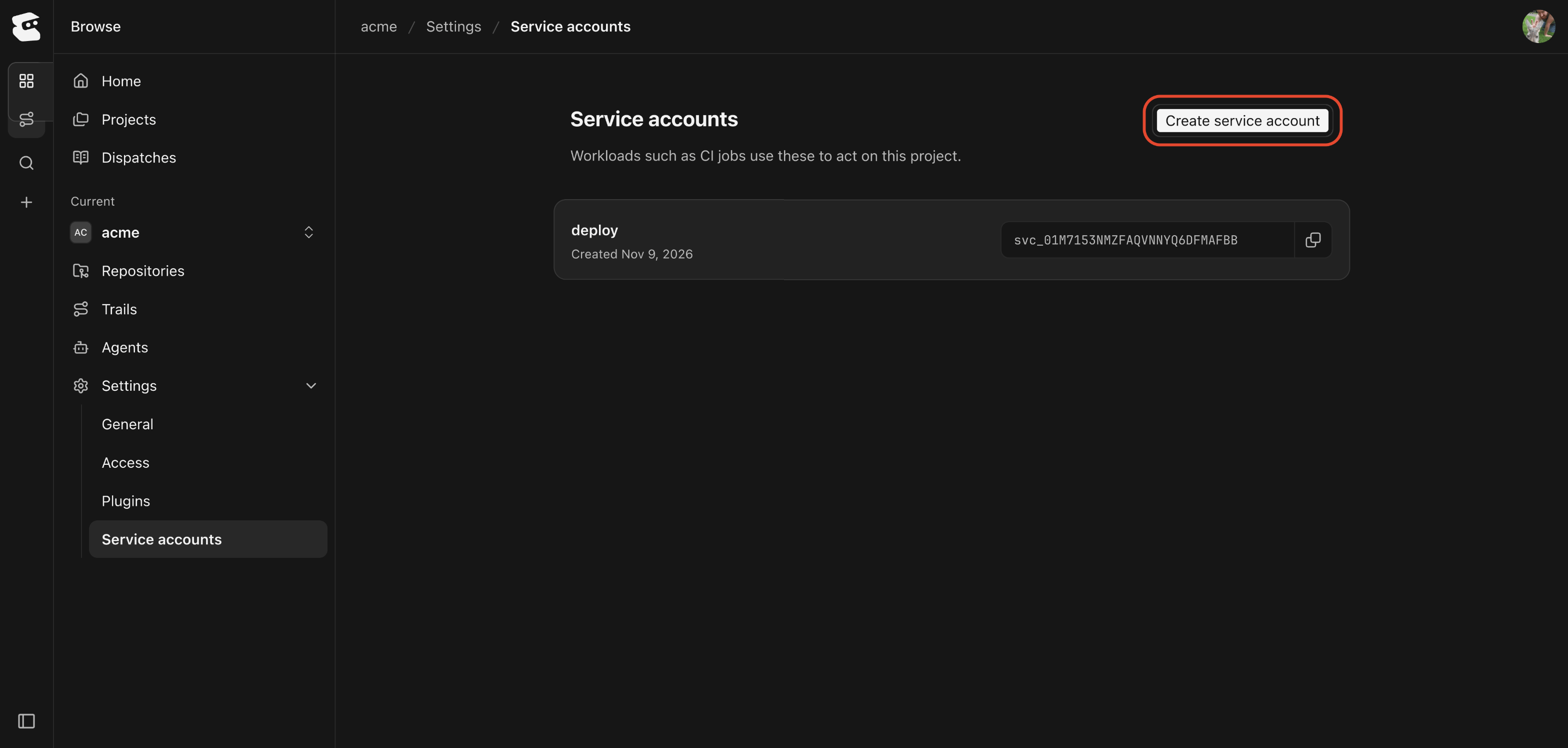
Create a Service Account in entire.com
- In your project, open Settings and select Service accounts.
- Select Create service account.
- Enter a name, such as
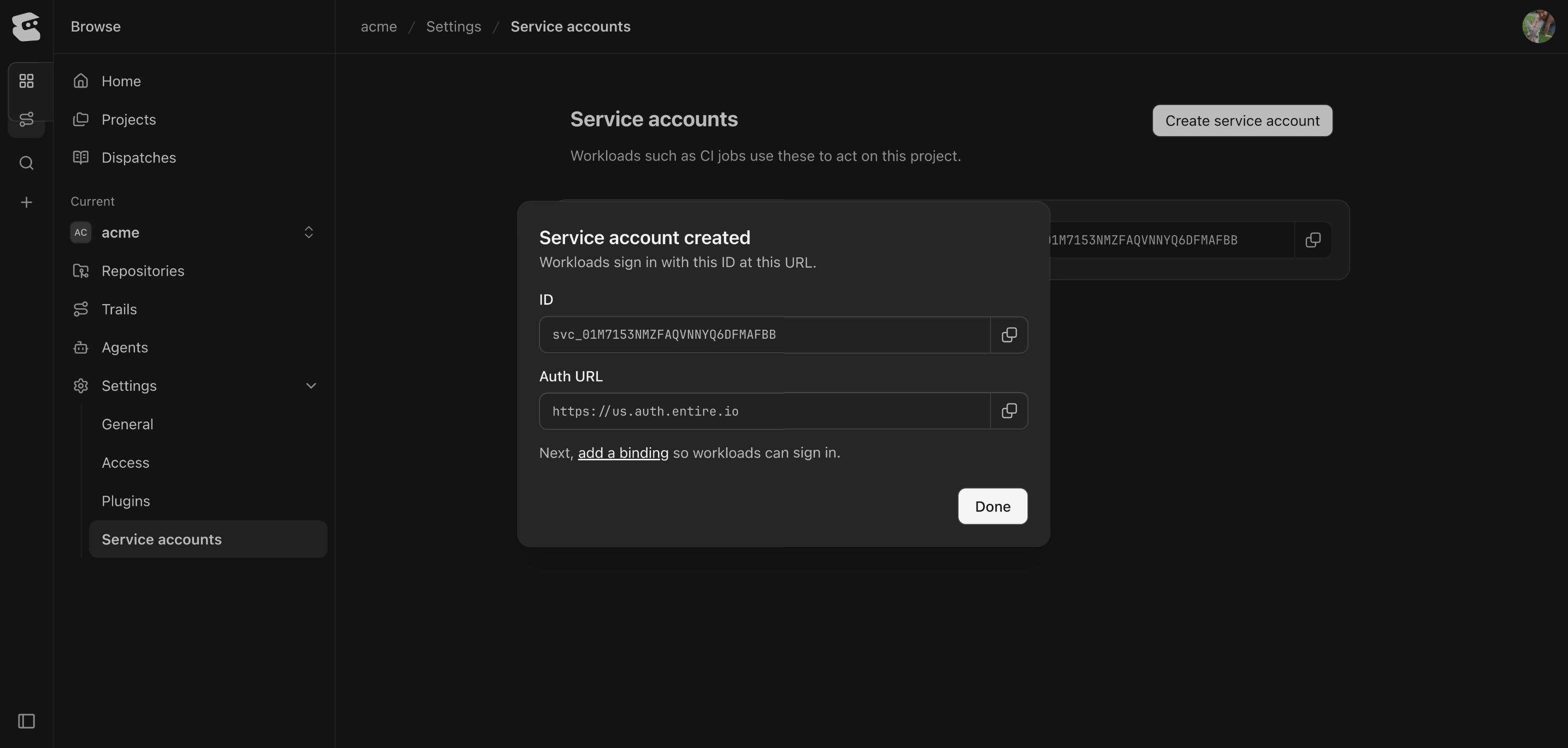
deploy, and select Create.
Grant Repository Access
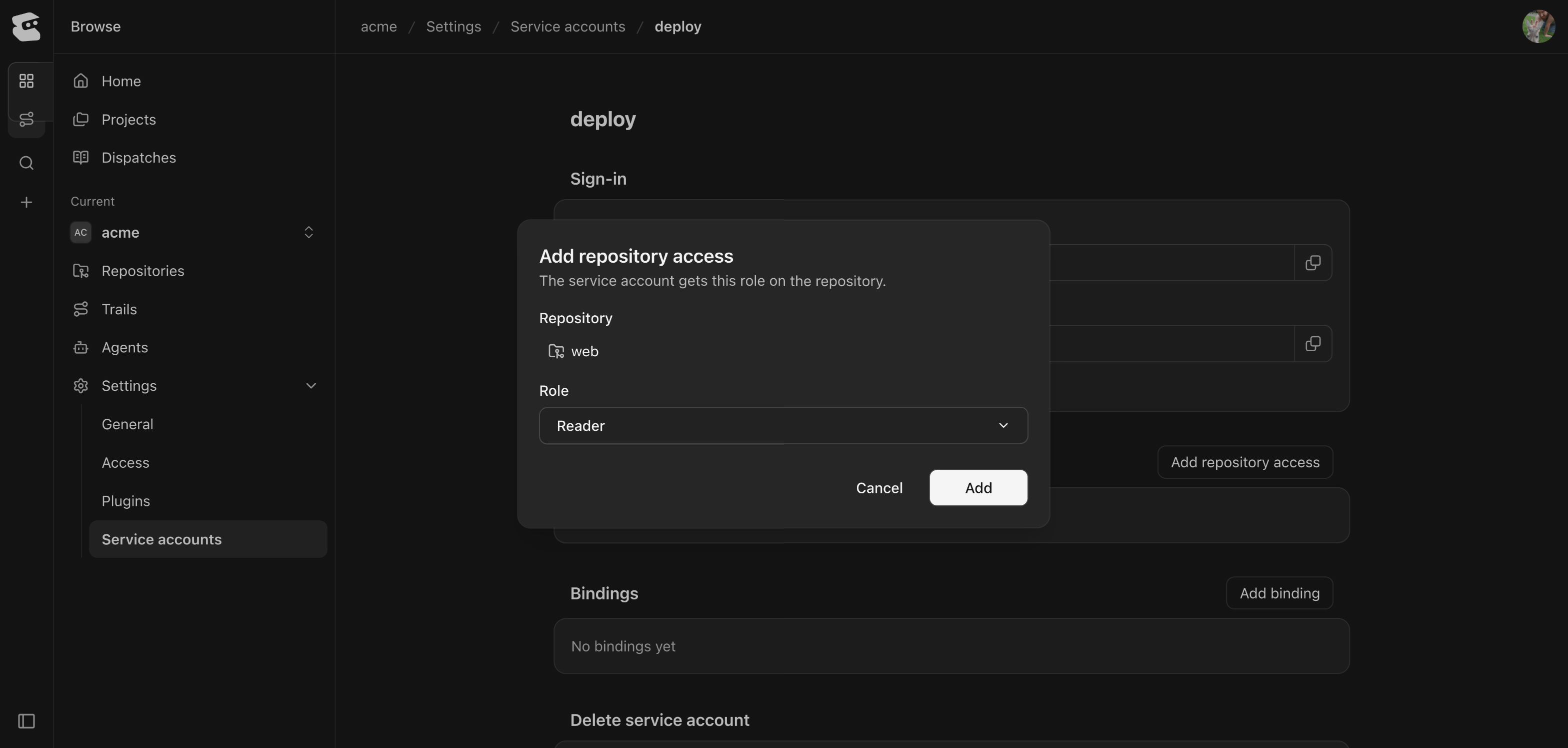
Open the service account. Under Repository access, select Add repository access. Choose a repository and a role, then select Add.You can only grant access to individual repositories here. To grant access to every repository in the project, use the CLI tab.Add a Binding
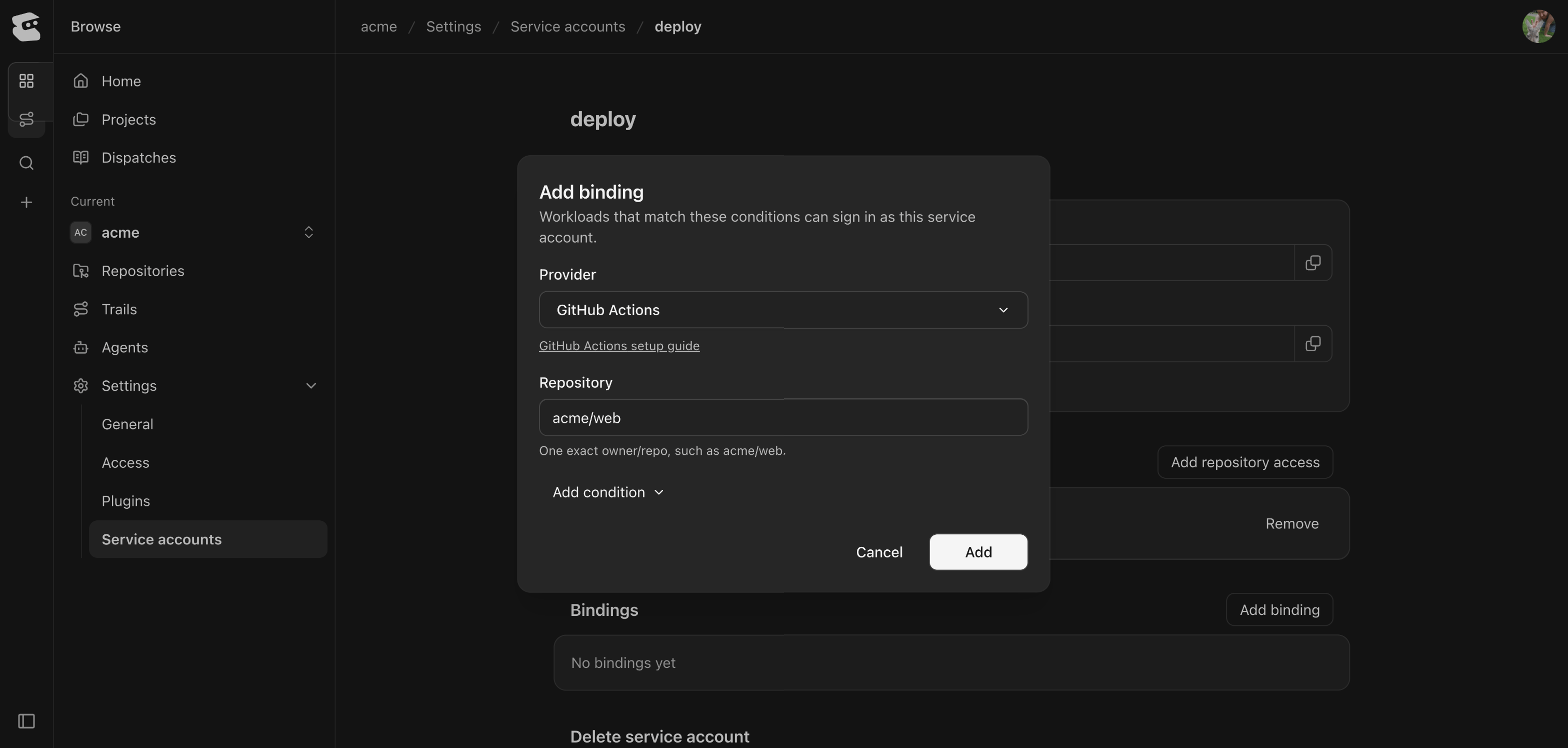
A binding lets jobs on another platform, such as GitHub Actions, sign in as the service account. Under Bindings, select Add binding and choose the Provider.Fill in the required fields. Each field is a pin, a value the job’s token must match, such as your repository name. To add more pins, such as a branch, select Add condition. Then select Add. OpenID Connect (OIDC) says where to find each platform’s values.Create a Secret
Creating secrets in entire.com is coming soon. Until then, create a secret with the CLI.Delete a Service Account
Open the service account and select Delete service account. Type its name to confirm. Its grants, bindings, and secrets are removed, and jobs that sign in as it stop working.Sign In with a Secret
On a platform without OIDC, a service account signs in with a secret, a credential you store where your code runs. Creating secrets in entire.com is coming soon, so create one with the CLI. You need permission to manage the Entire project.ent_svc_ and ends with a checksum that lets a client catch a mistyped or truncated secret. A secret lasts 90 days by default. Use --expires-in-days to choose between 1 and 365 days. Each service account can hold two unexpired secrets, so you can create a new one before you delete the old one.
Set the secret as ENTIRE_TOKEN. The entire CLI, git-remote-entire, and the Go SDK exchange it for a service account token and renew that token as needed:
resource:
access_token and its lifetime in seconds in expires_in. A token from a secret lasts at most 10 minutes, and never past the secret’s own expiry. Send the token as a bearer, never the secret itself. Exchange the secret again when the token nears expiry or after a 401.
entire service-account secret list acme/deploy shows each secret’s expiry and last use. entire service-account secret delete acme/deploy <secret-id> revokes one. It can no longer be exchanged, and tokens already exchanged from it expire within 10 minutes.
Continue With
service-account
See every
entire service-account command and flag.OpenID Connect (OIDC)
Let a platform’s jobs sign in with their own token.
Troubleshooting
Fix access, sign-in, and secret errors.