To see the CI results for a change, open its Trail. Each vendor reports a check suite for a workflow or build. Depot also reports check runs for individual jobs; Buildkite does not report step details yet. For repositories that use a CI plugin, results appear in the plugin’s own line under Gates. This applies to both repositories hosted on Entire and repositories mirrored from GitHub. The separate Checks gate is available only on GitHub mirrors. The suite reports the overall outcome. It can remain pending after some jobs pass because the vendor still has work to finish. Open the vendor’s build details, when available, to read logs and investigate failures.

Require Checks Before Merging

For both Buildkite and Depot, any failed plugin build blocks merging by default when Required checks is empty. Populate the field only if you want to block on specific build types:
  1. Open the repository in entire.com and go to Settings then Gates.
  2. Find the gate for your CI plugin.
  3. To block only on specific build types, set Required checks using their pipeline, workflow, or job names.

Buildkite

Name the pipeline in org/pipeline format. For example, to require the tests pipeline in the acme organization, enter acme/tests.

Depot

Name the workflow you want to require, such as ci. You can also require a single job within a workflow at the run level, using that job’s name.
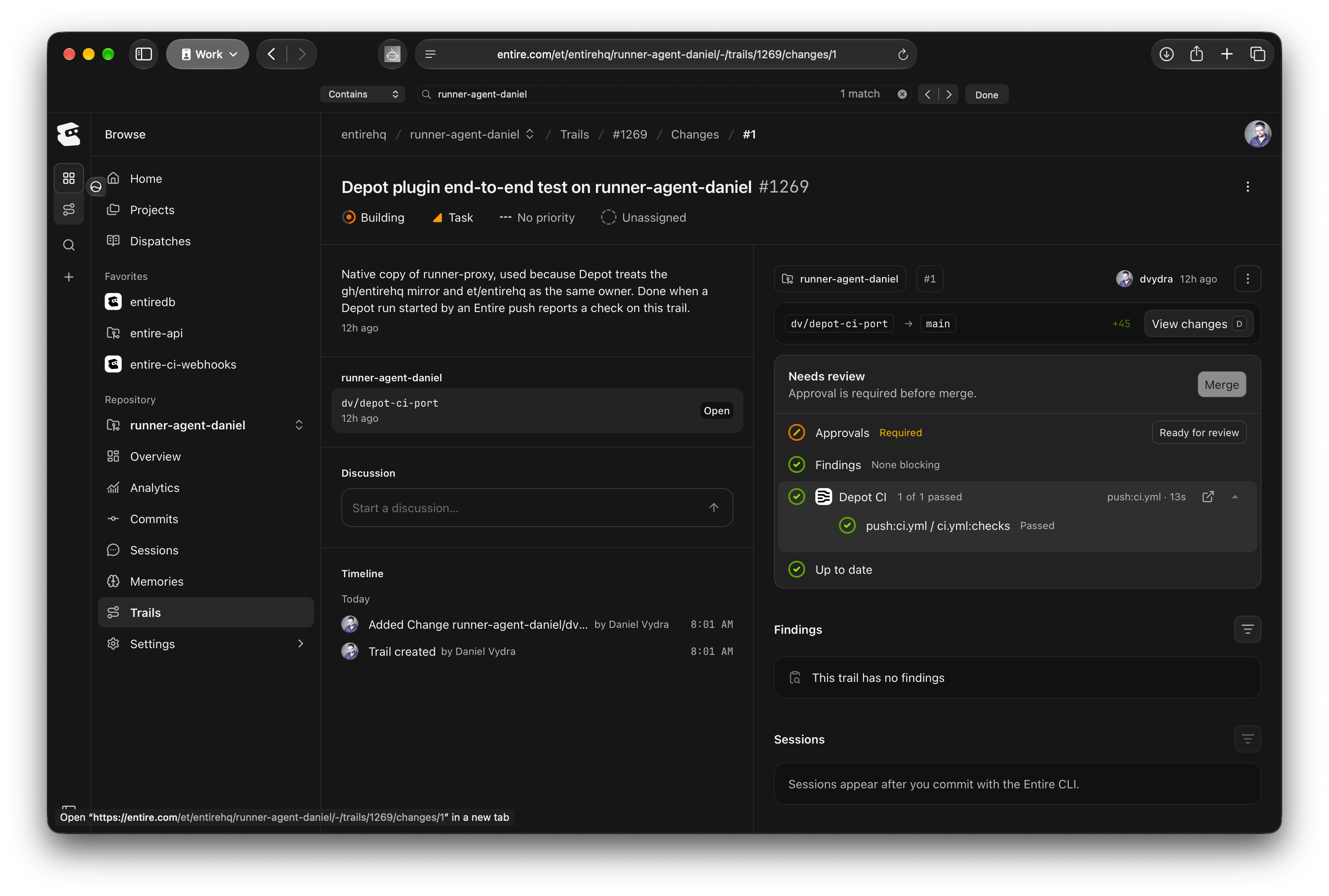
Depot CI plugin gate on an Entire-hosted repository's Trail showing one of one checks passed

Depot plugin on Trails, showing the Depot CI gate with its reported job passed.

Names must match the builds your plugin reports. If you rename a pipeline, workflow, or job, update its required name in the plugin’s gate too.

GitHub Mirrors

A GitHub mirror can also use the Checks gate to require checks reported through GitHub. This gate is separate from the gates for installed CI plugins and is not available on repositories hosted directly on Entire.
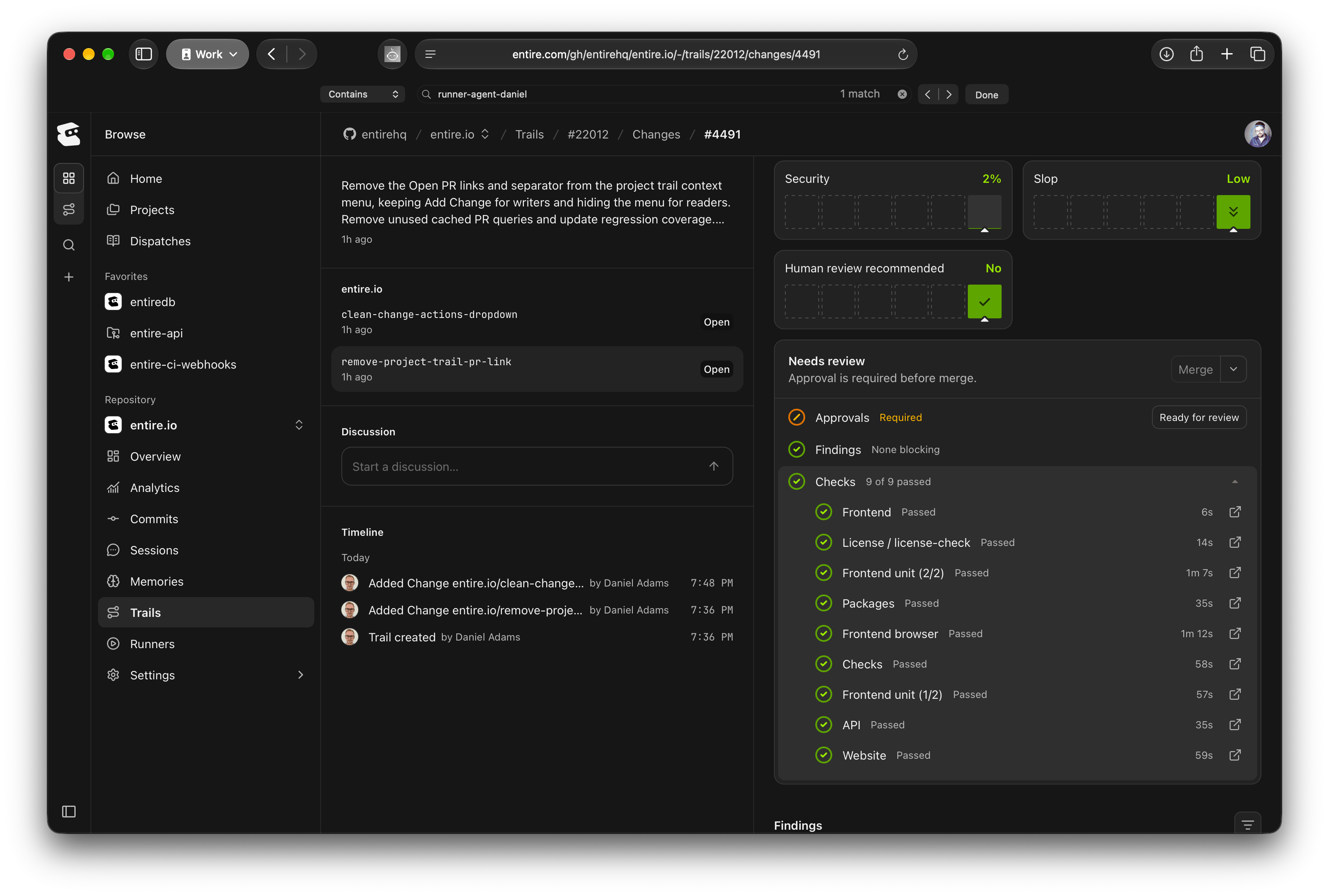
Expanded Checks gate on a GitHub mirror Trail showing nine passed GitHub checks

GitHub checks on a GitHub mirror Trail, with all nine checks passed.

The Checks gate reads checks from GitHub but doesn’t use GitHub’s branch protection rules. Name the checks you need in that gate. A named check that hasn’t been reported fails once all other checks have finished. If you select Require all checks to succeed, every reported GitHub check must also pass.

Understand the Result

Review the plugin’s gate on the Trail to see whether its required builds have completed. Individual jobs can finish while the overall workflow or build is still running. Entire evaluates requirements against the latest commit. A passing result from an earlier commit does not satisfy the requirement for a newer change. If a required result is missing or pending, compare the Trail’s latest commit with the vendor’s build and confirm that the configured name matches the pipeline, workflow, or job that reports it. All blocking gates must pass before you can merge, unless someone with bypass permission bypasses them.